How to Choose a Laser Engraving Machine and Laser Cutter for Your Projects

Buying your first laser machine can be surprisingly confusing.
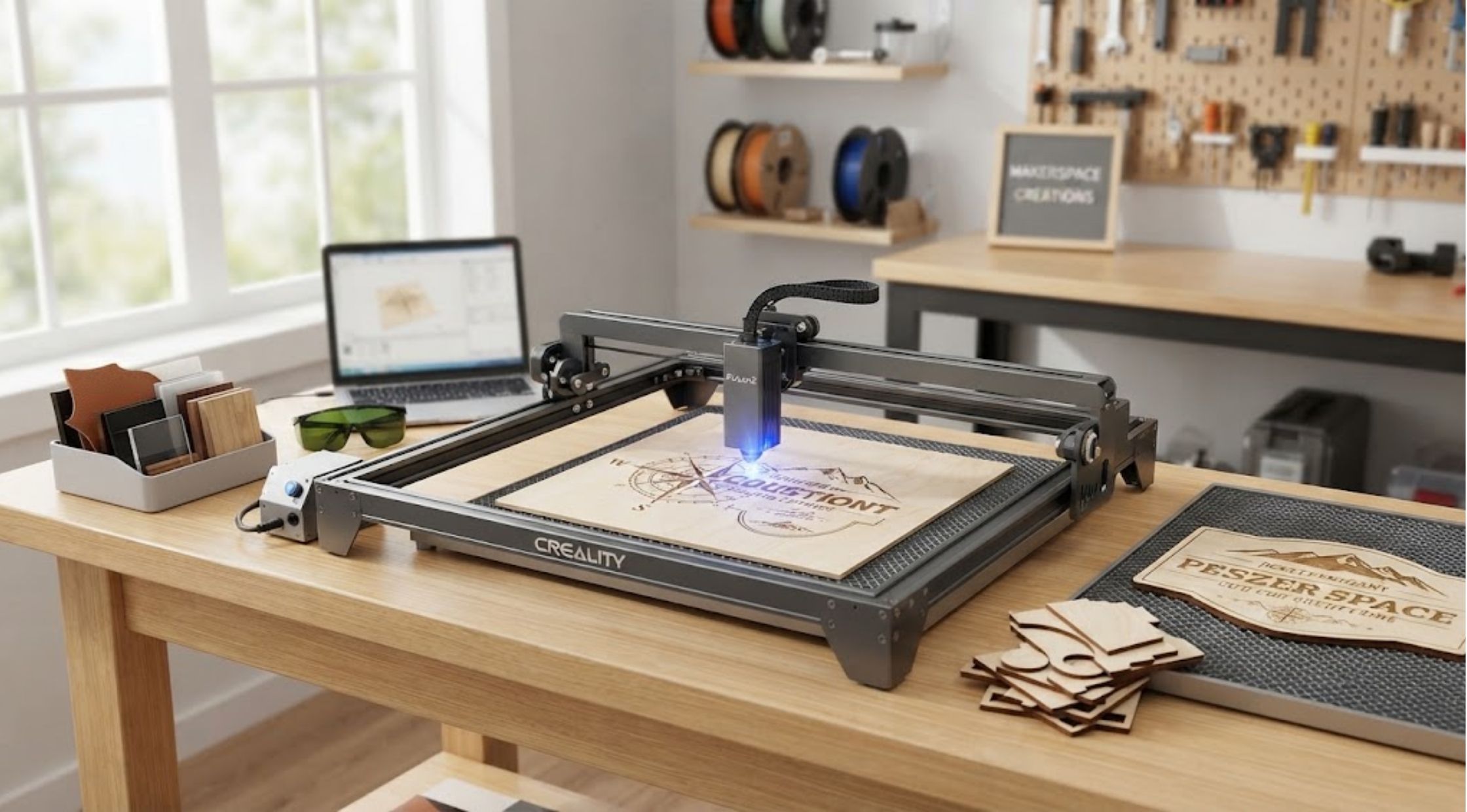
Buying your first laser machine can be surprisingly confusing. You may know that you want to engrave wood, cut acrylic, personalize products, or create items for a small business, but then you start comparing wattage, work areas, software, materials, and accessories.Suddenly, the question changes from “Which machine should I buy?” to “How do I know what I actually need?”Choosing the right Laser Engraving Machine does not necessarily mean buying the most powerful model available. The better approach is to match the machine's capabilities to your projects, materials, workspace, and experience level. The same principle applies when choosing a Laser Cutter.
Common Problems Buyers Face
Buying More Power Than Necessary
Laser power is one of the first specifications shoppers notice. Higher wattage can provide greater cutting capability, but that does not automatically make a machine the right choice.
If most of your projects involve engraving designs, signs, decorations, or relatively thin materials, you may not need the same power as someone cutting thicker wood or working with demanding materials.
Paying for capabilities you rarely use can increase your initial investment without providing much practical benefit.
Choosing a Machine With Too Small a Work Area
Another common frustration appears after the purchase.
A machine may handle your materials perfectly but have a work area that is too small for the projects you eventually want to create. Constantly repositioning materials can make larger jobs slower and less convenient.
Think about the largest project you realistically expect to make, not just what you plan to create this week.
Ignoring Software and Setup
A technically capable machine is not particularly useful if you find the software difficult to operate.
Beginners should consider the entire workflow, from creating or importing a design to positioning the material and completing the final cut or engraving.
Why Choosing the Right Machine Is Difficult
Laser machines can differ significantly in power, speed, precision, supported materials, work area, software compatibility, and safety features.
That means there is no universal machine that is perfect for every user.
Your ideal setup depends on what you want to make.
For example, a hobbyist creating personalized wooden gifts may have different requirements from a small business producing signs or a maker cutting thicker materials regularly.
Before comparing individual models, define your typical projects first.
How to Choose a Laser Engraving Machine
Start With Your Materials
Make a list of the materials you expect to use most often.
Wood, bamboo, leather, acrylic, cardboard, fabric, and other materials can have different processing requirements. Some machines support a broader range than others, so checking manufacturer specifications before purchasing is essential.
For example, Creality Falcon's current entry-level CR 10W is listed as supporting materials including cardboard, wood, bamboo, rubber, leather, fabric, acrylic, and plastic.
Don't choose a machine based on a long materials list alone. Consider which materials you will actually use and what thicknesses you need to process.
Think About Engraving Quality
If your projects involve detailed graphics, photographs, logos, or small lettering, precision matters.
Look at the laser spot size and the machine's positioning or focusing system. Finer laser spots can help produce more detailed engravings, although overall results also depend on material, settings, software, and technique.
Creality Falcon's CR 10W, for example, specifies a 0.06 × 0.08 mm laser spot and a 400 × 415 mm working area.
Consider Speed
Speed matters more as your project volume increases.
A hobbyist making one item occasionally may not care about maximum processing speed. A small business producing multiple products, however, can benefit from a machine designed for faster workflows.
The key is to balance speed with the quality and materials required for your projects.
Choosing a Laser Cutter for Cutting Projects
If cutting is more important than engraving, pay particular attention to cutting thickness and material compatibility.
A Laser Cutter should be selected according to the materials and thicknesses you expect to process regularly.
For example, the Falcon2 40W is currently listed with the ability to cut 20 mm cork and 0.15 mm stainless steel in one pass, while also supporting materials such as mirror stainless steel, ceramics, and opaque glass.
Those capabilities may be useful for demanding projects, but a beginner who primarily engraves thin wood may have little reason to choose a machine at that level.
Don't Forget the Complete Setup
The machine itself is only part of the experience.
Consider whether you need:
- A protective enclosure
- Air assist
- A honeycomb work surface
- Rotary accessories
- Smoke or air filtration
- Safety equipment
- Extension kits
- Compatible design software
These additions can affect both your budget and workspace requirements.
Software compatibility is particularly important. Current Creality Falcon machines support tools such as Falcon Design Space, LightBurn, and LaserGRBL on applicable models.
When a Premium Machine Makes Sense
Once you know your requirements, upgrading to a more capable machine can be worthwhile.
A premium Laser Engraving Machine can make sense when you need greater productivity, a larger working area, stronger cutting performance, more advanced features, or a more refined workflow.
Creality Falcon currently offers machines across several power levels, including 5W, 10W, 22W, 40W, and 60W options. Its range includes open-frame machines as well as enclosed models designed around additional protection and workflow features.
For example, the Falcon2 22W includes integrated air assist and is advertised with speeds up to 25,000 mm/min, while the enclosed Falcon2 Pro range adds features such as built-in camera positioning on certain models.
The important point is not to buy the most advanced model simply because it has more specifications. Choose the features that solve problems you actually have.
Benefits of Upgrading
Better Productivity
A faster machine can reduce processing time when you're creating multiple pieces or working on larger projects.
Greater Creative Flexibility
Higher-capability machines can open up additional materials, thicknesses, and project types.
More Consistent Results
Precision-focused features and appropriate accessories can help make repeated projects easier to reproduce.
Room to Grow
If you're starting a small customization business or developing a serious hobby, choosing a machine with some additional capability can reduce the need for an immediate upgrade.
A More Complete Workflow
Accessories such as air assist, protective enclosures, rotary tools, and suitable work surfaces can make the overall process more practical and organized.
Choose Based on Your Projects, Not Just the Specifications
The best Laser Cutter for you is the one that fits your actual workflow.
Start by identifying the materials you use, the thicknesses you need to cut, the size of your projects, how frequently you'll use the machine, and your comfort level with laser software.
From there, compare power, precision, speed, working area, accessories, and safety features.
Creality Falcon provides a broad range of machines, from entry-level options for beginners to higher-powered systems designed for more demanding engraving and cutting applications.
Whether you're making personalized gifts, signs, decorative products, prototypes, or items for sale, taking the time to match the machine to your real needs can save money and frustration.
The smartest purchase isn't necessarily the most powerful machine. It's the one that gives you the capabilities you need today while leaving enough room for your projects to grow tomorrow.
Recent Blogs
-
How to Make Your LEGO Builds Stand Out with Better Lighting
-
How to Choose Reliable Electronics and Computer Accessories for Everyday Use
-

How to Choose Quality Kumadoll Products for a Better Shopping Experience
-
How to Choose Laser Hair Growth Devices for Effective Hair Regrowth
-
How to Stay Powered Anywhere: Choosing Reliable Portable Energy and Rugged Devices