How to Choose a Rechargeable Dash Cam | Campark Guide

There are many ways to choose the right Campark dash cam to fit your car, but here are a few key considerations.
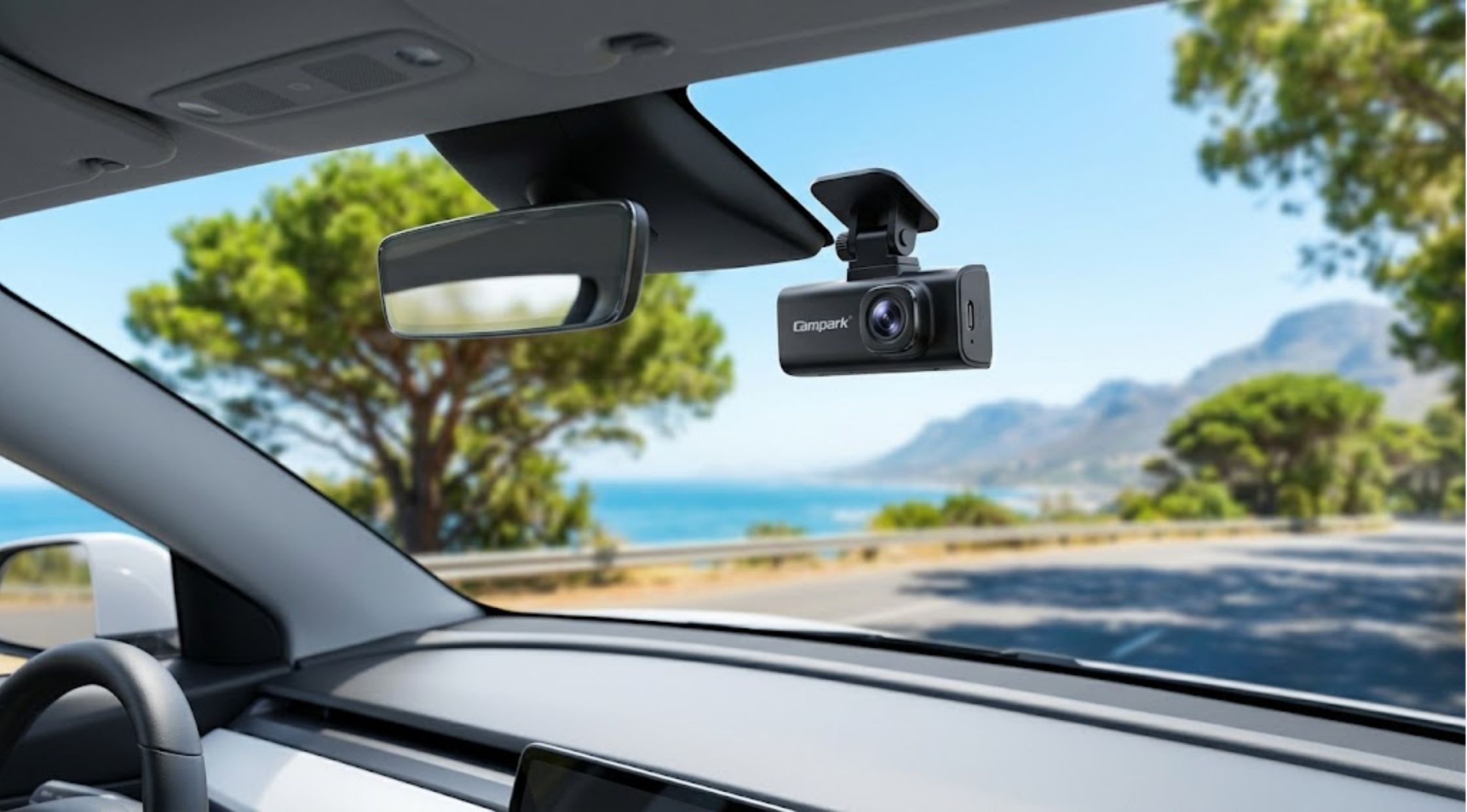
There are many ways to choose the right Campark dash cam to fit your car, but here are a few key considerations.
Having a dash cam in a car can come in handy, assisting drivers by keeping a visual record of what occurs on the road and of their journey in general. The power source, recording time, video quality, storage, and ease of installation are all important factors to take into account when selecting a model.
Campark has a number of camera offerings, and knowing what you're looking for can help you select the ideal setup. Whether you're thinking about a rechargeable dash cam, a battery-operated dash cam, or a battery-powered dash cam, understanding the operation of each can guide your choice.
Selecting a Rechargeable Dashboard Camera
Selecting a rechargeable dashboard camera requires evaluating your specific driving needs. Drivers who prefer the flexibility of moving their camera between vehicles find it convenient to install a rechargeable unit. A rechargeable camera offers freedom in setup since you don't have to keep it plugged into a power source continuously during use.
When selecting a model, pay attention to the following specs:
- Battery Range & Capacity: Look into the manufacturer's suggested usage and baseline battery specs.
- Charging Technique: Verify whether it charges via USB-C, cigarette lighter adapter, or external power pack.
- Power Demands: Dash cams require continuous power to operate high-resolution recording; battery life varies depending on active settings, screen usage, and features.
- Trip Duration: For extended trips, a model equipped with a dedicated hardwire kit or dynamic power-management system is far more convenient than relying on internal battery power alone.
How a Battery-Operated Dash Cam Works
A battery-operated dash cam is not 100% dependent on external power; rather, it is powered by a built-in or removable battery. This can simplify the initial installation process because you don't need to maintain a permanent cable connection right away.
However, battery operation means actively managing charging needs. Consider your driving habits and usage frequency:
- Daily Commuting: Ask yourself if the battery will need to be recharged constantly during daily travel.
- Continuous Recording: If you require constant parking surveillance, internal batteries may drain quickly without an external supply.
Key Features for Battery-Powered Dash Cams
If portability and placement flexibility are critical, a battery-powered dash cam is a viable option. When comparing models, look beyond power delivery and evaluate the full feature set:
- Video Resolution & Clarity: Look for HD, 2K, or 4K resolution options to clearly capture license plates.
- Field of View (Viewing Angle): Wide-angle lenses (e.g., 140° to 170° or 360° multi-channel setups) reduce blind spots.
- Storage Options: Check supported card capacities and loop recording functions.
- Night Vision: Cameras equipped with WDR (Wide Dynamic Range) or infrared LEDs ensure clear recording in low-light conditions.
- Mounting & Charging: Evaluate suction cups, adhesive mounts, and available cable ports.
Positioning Your Dash Cam Correctly
Proper placement ensures usable footage without introducing safety hazards:
- Maintain Unobstructed Views: Mount the camera high on the windshield (often behind the rearview mirror) to record the road clearly without blocking your line of sight.
- Check the Angle: Sit in the driver's seat to preview the view and coverage before permanently securing the mount.
- Ensure Stability: Verify that the mount is locked tight so the camera won't shake or detach on rough roads.
- Safety Equipment Clearance: Keep the camera and running cables out of the way of deployment zones for airbags and other vehicle safety systems.
Improving Video Quality and Maintenance
Positioning the camera is only the first step; routine maintenance ensures clear footage when you need it:
- Keep the Windshield Clean: Ensure the area directly in front of the camera lens is free of dirt, streaks, or bugs.
- Clean the Lens: Periodically wipe the camera lens with a soft microfiber cloth.
- Check Camera Settings: Select an appropriate recording resolution and review camera options prior to long drives.
- Inspect the Hardware: Periodically check the stability of the mounting system and inspect electrical connections.
- Protect from Thermal Stress: Avoid leaving battery-powered electronics in extreme heat or cold for extended periods, as high temperatures can degrade lithium batteries.
- Review Recorded Footage: Periodically check stored video to confirm that the camera records properly and saves files without corruption.
Managing Storage Media
Video files—especially high-resolution 4K clips—fill memory cards quickly.
|
Storage Consideration |
Best Practice |
|
Card Compatibility |
Choose an industrial-grade U3 MicroSD card recommended by the manufacturer. |
|
Loop Recording |
Enables the camera to automatically overwrite the oldest unlocked footage when storage is full. |
|
Emergency File Locking |
G-sensors automatically lock collision footage so it isn't overwritten. |
|
Manual Backups |
Offload important travel or incident footage immediately to a phone or computer. |
Preparing for Long Road Trips
Before embarking on a lengthy journey, make sure your camera is fully prepared:
- Fully charge rechargeable batteries or verify external power cable connections.
- Clean both the vehicle windshield and the camera lens.
- Format or clear the memory card to maximize available space for new recordings.
- Test the camera's recording function, screen, and mobile app connectivity if available.
Final Thoughts
Selecting the right Campark dash cam depends on your vehicle type, driving habits, and surveillance needs. While battery-powered and rechargeable models offer excellent installation flexibility, power requirements and battery management remain essential factors. By prioritizing video clarity, proper windshield placement, and routine storage maintenance, a Campark dash cam serves as a reliable tool for daily commuting and road trips alike.
Recent Blogs
-

How to Make Your LEGO Builds Stand Out with Better Lighting
-

How to Choose Reliable Electronics and Computer Accessories for Everyday Use
-

How to Choose Quality Kumadoll Products for a Better Shopping Experience
-

How to Choose Laser Hair Growth Devices for Effective Hair Regrowth
-

How to Stay Powered Anywhere: Choosing Reliable Portable Energy and Rugged Devices