How to Choose Revopoint 3D Scanners for Accurate 3D Printing and Reverse Engineering

Discover how Revopoint 3D Scanners improve scanning accuracy, simplify reverse engineering, and support detailed 3D printing projects.
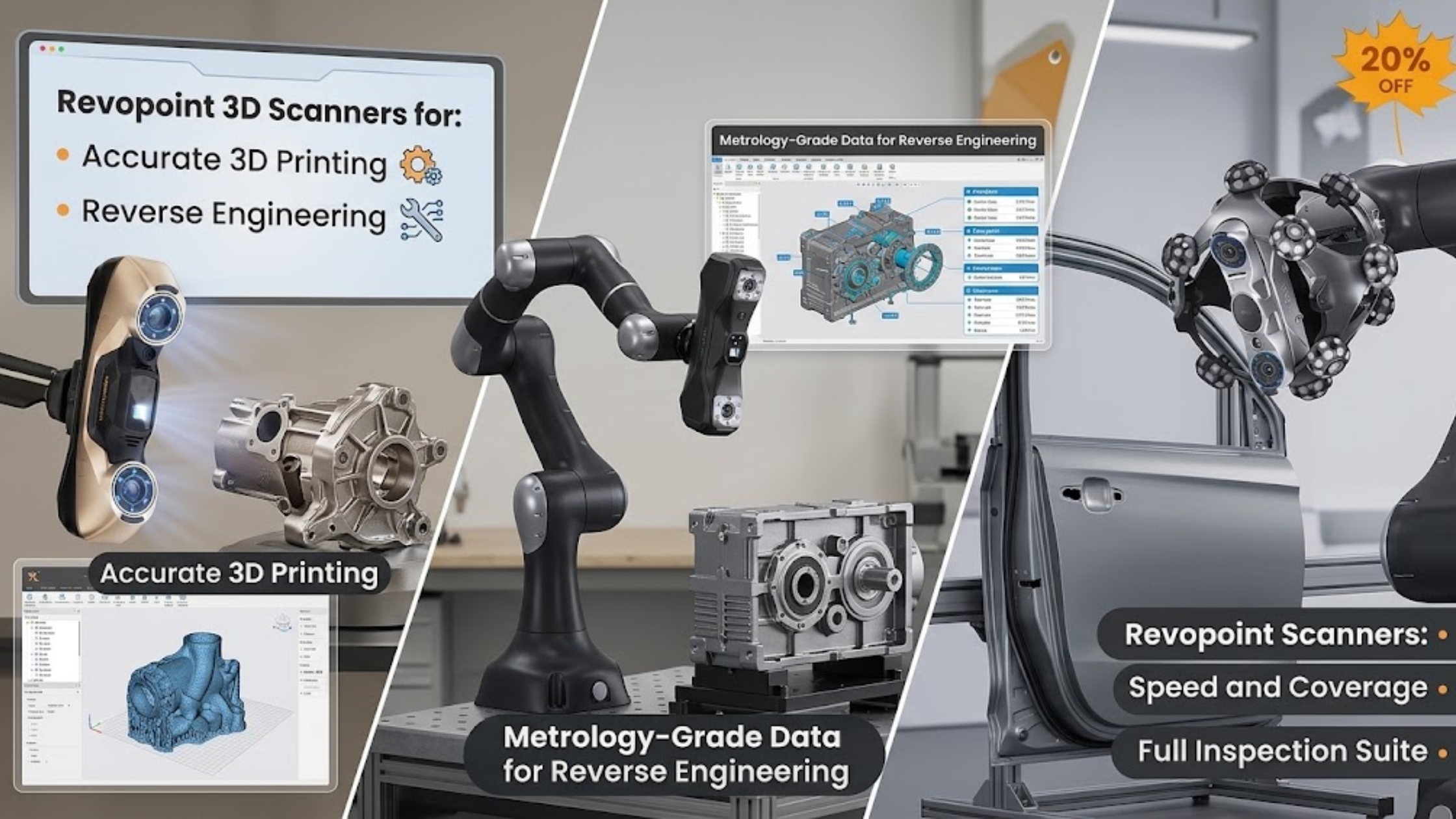
Creating accurate 3D models becomes frustrating when measurements fail or designs lack details. Consequently, even minor scanning errors can cause fitting problems during 3D printing. Similarly, reverse engineering becomes challenging when original parts lack digital designs. Moreover, manual measurements often miss complex curves, sharp edges, and irregular surfaces. Fortunately, modern scanning technology provides a more practical solution. For example, Revopoint 3D Technologies Inc. develops Revopoint 3D Scanners that capture physical objects and convert them into digital models. With suitable equipment and an efficient workflow, you can improve accuracy, reduce rework, and simplify demanding projects.
Understand the Common Challenges of 3D Scanning
Inaccurate Measurements Create Expensive Mistakes
Accurate dimensions help engineers recreate mechanical components and design replacement parts. However, manual tools cannot always capture complex shapes consistently. For example, curved surfaces, recessed features, and intricate edges create additional measurement challenges. Consequently, inaccurate measurements can produce poorly fitting printed components. Moreover, these challenges become more significant during reverse engineering. Engineers must recreate existing objects without using their original CAD files. Therefore, they need reliable digital references to develop accurate designs.
Complex Surfaces Make Scanning Difficult
Some objects have reflective, dark, transparent, or textureless surfaces. Consequently, these characteristics can challenge certain scanners during data capture. Additionally, intricate geometries may contain hard-to-reach areas. Therefore, poor scanning angles can leave gaps in the resulting model. To overcome these limitations, choose suitable scanning equipment. However, also consider the object's material, size, and surface characteristics.
Manual Modeling Takes Too Much Time
Building complex models from scratch requires significant time and effort. First, designers measure individual features, recreate dimensions, and verify proportions. Furthermore, repeated revisions can delay production and increase project costs. Fortunately, digital scanning offers an alternative approach. It captures an object's geometry and generates data for further processing. As a result, suitable scanning workflows can reduce manual work and improve efficiency.
Identify What Causes Poor Scanning Results
Several factors affect scanning quality, so equipment alone cannot solve every problem. First, unsuitable scanning technology may struggle with specific object sizes or surface properties. Additionally, inadequate preparation can reduce captured data quality. Meanwhile, incorrect scanning distances or movement speeds can produce incomplete results. Furthermore, software settings influence the final model. Poor alignment, excessive noise, and missing data can reduce mesh quality. Therefore, evaluate the entire workflow instead of focusing solely on scanner specifications. Before purchasing equipment, identify your primary application. Next, consider object dimensions, required accuracy, surface complexity, and expected output formats. Ultimately, these factors help you choose suitable Professional 3D Scanning Solutions for your needs.
Practical Ways to Improve 3D Scanning Accuracy
Prepare the Object Before Scanning
First, clean the object thoroughly to remove dust and loose particles. Next, secure it firmly to prevent movement during scanning. This stable positioning maintains consistent alignment across multiple scans. Additionally, check whether reflective or transparent objects require extra surface preparation. Some scanning workflows use removable scanning spray to improve capture quality. Finally, follow the equipment manufacturer's instructions before applying any surface treatments.
Choose Equipment That Matches Your Project
Different scanning technologies support different applications. For instance, some scanners capture small objects and intricate details. Meanwhile, others handle larger objects or accelerate scanning workflows. For example, jewelry designers prioritize intricate surface features. In contrast, engineers recreating machine components emphasize dimensional accuracy. Similarly, hobbyists consider affordability, compatibility, and straightforward operation. Therefore, compare 3D Scanners for 3D Printing and Reverse Engineering against your specific requirements. First, check the manufacturer's stated accuracy, working distance, scanning speed, and supported software. Additionally, distinguish single-frame accuracy from volumetric accuracy because each measures different performance characteristics.
Improve Data Processing and Model Cleanup
Capturing an object represents only one stage of the process. Next, align scans, remove unwanted points, and generate a usable mesh. Depending on your application, you may also need to repair holes or simplify geometry. For 3D printing, check wall thickness, surface continuity, and mesh integrity. Meanwhile, verify critical dimensions before rebuilding CAD models for reverse engineering. Finally, perform these checks to prevent avoidable manufacturing errors.
Explore Revopoint 3D Scanners for Complex Projects
Choosing scanning equipment becomes easier when you understand your workflow. For example, Revopoint 3D Scanners offer accessible options for exploring 3D digitization. However, your ideal model depends on object size, detail requirements, scanning conditions, and intended applications. Revopoint 3D Technologies Inc. develops 3D scanning products for capturing physical objects and creating digital models. Therefore, compare individual models instead of assuming every scanner offers identical capabilities. Next, review the manufacturer's specifications and supported workflows before choosing your equipment. Also, confirm software compatibility with your preferred modeling tools and export formats. Additionally, check operating-system requirements and available technical support. These factors matter because scanning equipment must integrate with your existing workflow. Ultimately, choose a scanner that meets your project requirements without adding unnecessary complexity.
Benefits of Upgrading Your Scanning Workflow
Benefits of Upgrading Your Scanning Workflow
A suitable scanner captures complex geometry more efficiently than repeated manual measurements. Consequently, designers spend less time documenting shapes and more time refining models. Moreover, this advantage benefits product developers, engineers, educators, and makers. However, scanning still requires proper preparation, verification, and post-processing.
Create Better Starting Points for 3D Printing
First, reliable scan data provides a solid foundation for reproducing physical objects. Designers can then refine the resulting mesh and prepare it for 3D printing. Additionally, they can modify selected features to create customized components. However, scanning alone does not produce a perfect, print-ready model. Therefore, users must inspect dimensions, repair mesh defects, and verify design suitability.
Support More Efficient Reverse Engineering
Reverse engineering often starts with existing components and limited design information. Therefore, scanning converts physical components into digital geometry for further analysis. Engineers can then compare dimensions, identify design features, and develop accurate replacement models. Moreover, this workflow helps when original drawings are unavailable. However, critical components still require dimensional verification and engineering validation. Additionally, consider Revopoint 3D Technologies Inc when researching equipment for these workflows. Finally, compare its available models with competing options before selecting the right solution.
Make a Smarter Investment in 3D Scanning
The best scanning setup depends on your project's complexity, accuracy needs, and budget. First, identify the problems you need to solve. Then, compare scanning performance, software compatibility, object-size limits, and processing requirements. However, avoid choosing equipment based solely on advertised specifications. Instead, review independent tests and sample scans whenever possible. For demanding tolerances, test representative objects before committing to production. Additionally, Revopoint 3D Technologies Inc. offers 3D scanning solutions worth exploring for digital modeling and object reproduction. Therefore, research Professional 3D Scanning Solutions carefully to find equipment that fits your workflow. This approach helps you avoid unnecessary expenses while meeting your project requirements. Ultimately, successful scanning requires suitable hardware, careful preparation, and reliable post-processing. Therefore, explore 3D Scanners for 3D Printing and Reverse Engineering with these priorities in mind. A well-informed decision helps you create better digital models. Moreover, it builds confidence when you approach future scanning projects.
Recent Blogs
-

How to Choose Golf Clothing That Keeps You Comfortable and Confident on the Course
-

How to Find Quality Products Online Without Overspending
-
How to Choose a Brio Water Dispenser for Cleaner, Convenient Drinking Water
-
How to Choose a GMKtec Mini PC for Work, Gaming, and Everyday Productivity
-
How to Choose Commercial Refrigeration Coolers That Keep Your Business Running Efficiently