How to Choose the Best Mini PC Without Overspending: A Smart Buyer's Guide

A bulky desktop isn't always the best solution anymore.
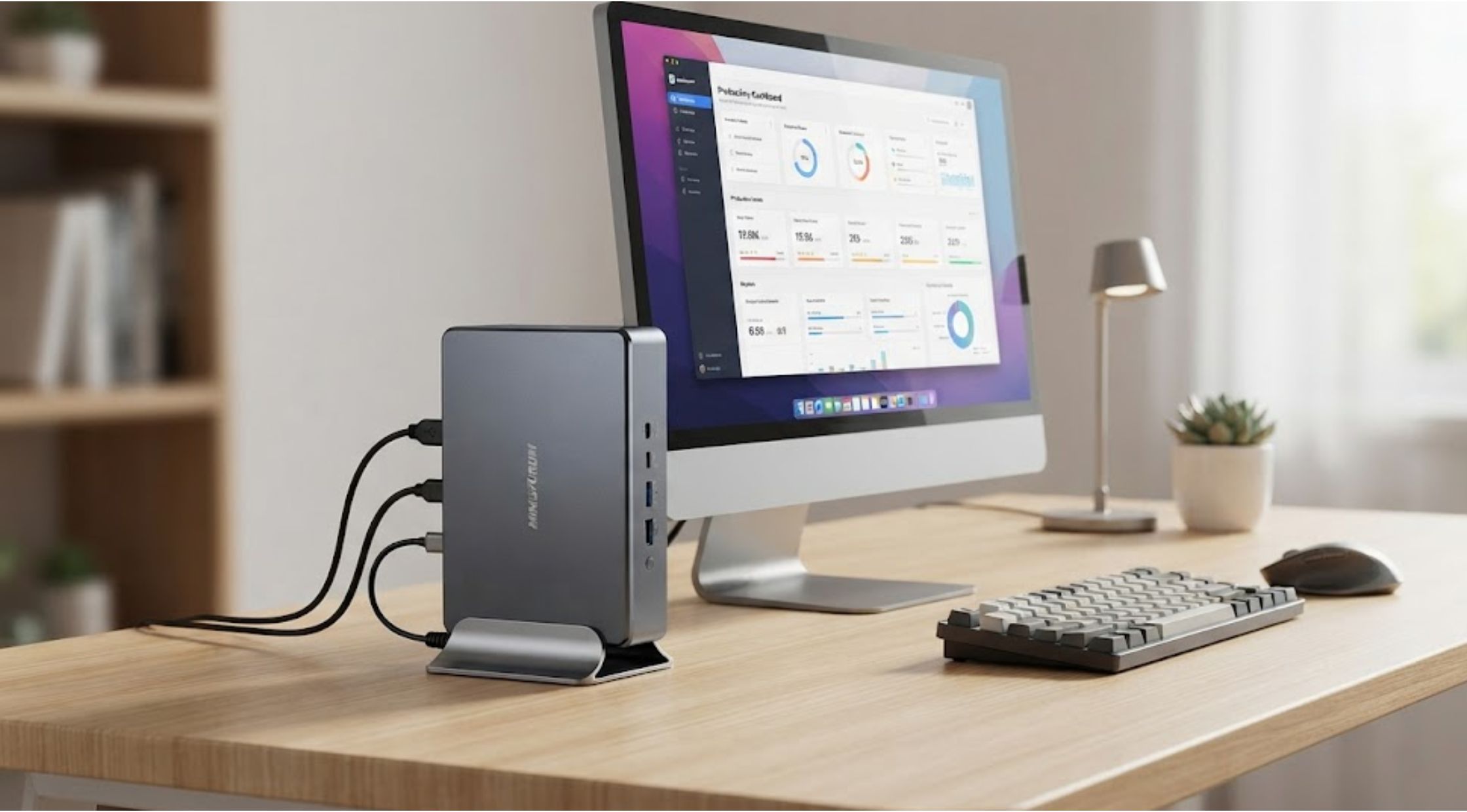
A bulky desktop isn't always the best solution anymore. Whether you're setting up a home office, creating a media center, or simply trying to save space, many people are turning to a mini pc as a compact yet powerful alternative.
The challenge is deciding which one offers the best value. With dozens of processors, memory configurations, and price points available, it's easy to overspend or buy a system that doesn't meet your expectations.
If you're considering a minisforum refurbished model or comparing different compact computers, understanding what truly matters can help you make a smarter investment.
Why Buying a Mini PC Can Feel Confusing
Unlike traditional desktop computers, mini PCs come in many different configurations that look almost identical from the outside.
Some are designed for:
- Everyday office work
- Home entertainment
- Programming and development
- Graphic design
- Content creation
- Light gaming
Without understanding the specifications, buyers often focus only on price. Unfortunately, that can lead to purchasing a system with insufficient performance or paying for hardware they don't actually need.
Common Problems Buyers Face
Many shoppers experience similar frustrations before purchasing a compact computer.
Buying More Power Than Necessary
It's tempting to purchase the newest processor available. However, if your primary tasks include web browsing, Microsoft Office, video streaming, and email, an ultra-high-end processor may provide little real-world benefit.
Choosing Too Little Memory
A small amount of RAM may work today but become limiting after software updates or multitasking.
Choosing enough memory from the beginning often extends the usable life of your mini pc.
Ignoring Upgrade Options
Some compact computers allow storage or memory upgrades, while others are more limited.
Checking upgrade possibilities before buying can save money later.
Worrying About Refurbished Devices
Many buyers hesitate when they see minisforum refurbished products because they assume refurbished automatically means lower quality.
In reality, professionally refurbished devices can offer excellent value when backed by testing, quality control, and warranty support.
What Makes a Mini PC a Smart Choice?
Modern compact computers have become surprisingly capable.
A quality mini pc can handle:
- Remote work
- Video conferencing
- Web development
- Online learning
- Media streaming
- Digital signage
- Everyday productivity
- Multiple monitor setups
Their compact size also provides several practical advantages.
Save Valuable Desk Space
A mini PC occupies only a fraction of the space required by a traditional desktop tower.
This creates a cleaner workspace and makes cable management much easier.
Lower Energy Consumption
Because of their efficient components, many compact computers consume less electricity than full-sized desktop systems.
Over time, this may contribute to lower operating costs.
Easy to Transport
Whether you're moving between offices or setting up temporary workstations, carrying a compact computer is far easier than transporting a standard desktop.
How to Choose the Right Mini PC
1. Define Your Primary Use
Start by asking yourself how you'll use the computer.
For example:
- Office productivity
- Home entertainment
- Programming
- Photo editing
- Business applications
- Educational use
Your intended workload should determine the processor and memory requirements.
2. Select the Right Processor
The processor is the heart of your system.
For everyday users, modern Intel Core or AMD Ryzen processors provide more than enough performance.
Power users running virtual machines, creative software, or multitasking extensively may benefit from higher-end CPUs.
3. Don't Overlook RAM
Memory plays a major role in system responsiveness.
For most users:
- 8GB works for light tasks
- 16GB is ideal for everyday productivity
- 32GB or more benefits professional workloads
Choosing sufficient RAM helps your mini pc remain responsive for years.
4. Choose Fast Storage
Solid-state drives (SSDs) dramatically improve boot times and application loading.
Whenever possible, prioritize NVMe SSD storage over traditional hard drives.
5. Check Connectivity
Before purchasing, verify the available ports.
Look for:
- USB-C
- USB-A
- HDMI
- DisplayPort
- Ethernet
- Wi-Fi
- Bluetooth
Choosing the right connectivity prevents frustration later.
Why Refurbished Models Deserve Consideration
Some buyers automatically dismiss refurbished computers, but that can mean missing excellent value.
A professionally restored minisforum refurbished system may provide:
- Lower purchase cost
- Thorough hardware testing
- Reliable performance
- Warranty coverage
- Reduced electronic waste
Rather than focusing only on the word "refurbished," it's better to evaluate the inspection process, warranty, and seller reputation.
For many users, refurbished hardware offers nearly identical everyday performance while helping stretch the budget further.
When a Premium Solution Makes Sense
If you rely on your computer daily for work, investing in a reliable system is often worthwhile.
Rather than chasing the lowest possible price, focus on build quality, cooling efficiency, processor selection, and long-term reliability.
This is where Minisforum has become popular among buyers looking for compact systems that balance performance, size, and value. Whether purchasing new or considering a refurbished model, comparing specifications carefully helps ensure the computer matches your workload.
Benefits of Choosing a Quality Mini PC
Reliable Everyday Performance
A well-configured mini pc handles multitasking smoothly, allowing you to switch between applications without unnecessary slowdowns.
Better Long-Term Value
Quality components often provide a longer usable lifespan, reducing the need for frequent upgrades.
Cleaner Workspace
The compact footprint creates a more organized desk while leaving room for additional accessories or monitors.
Flexible Applications
A mini PC can serve multiple purposes throughout its life, from a home office computer to a media server or even a business workstation.
For buyers seeking dependable compact computing solutions, Minisforum offers options that combine modern performance with space-saving design. Exploring both new and minisforum refurbished systems may help you find the right balance between performance and budget.
Conclusion: Buy Based on Your Needs, Not Just the Price
The best computer isn't necessarily the most expensive one; it's the one that fits your daily workload.
Before making your decision, consider processor performance, RAM, storage, upgrade options, and connectivity. If budget is a concern, don't overlook professionally refurbished systems, as they can deliver excellent value without sacrificing reliability.
Whether you're building a productive home office, upgrading your entertainment setup, or replacing an aging desktop, taking time to compare your options can lead to a purchase you'll appreciate for years. If you're exploring compact computers, Minisforum is one brand worth considering for buyers who want a practical balance of performance, efficiency, and long-term value.
Recent Blogs
-

How to Make Your LEGO Builds Stand Out with Better Lighting
-
How to Choose Reliable Electronics and Computer Accessories for Everyday Use
-

How to Choose Quality Kumadoll Products for a Better Shopping Experience
-

How to Choose Laser Hair Growth Devices for Effective Hair Regrowth
-

How to Stay Powered Anywhere: Choosing Reliable Portable Energy and Rugged Devices