NexiGo Camera Guide: How to Choose the Right Webcam

A dependable camera can impact a great deal when you're at home, taking part in online courses, broadcasting content, or staying in touch with family and friends.
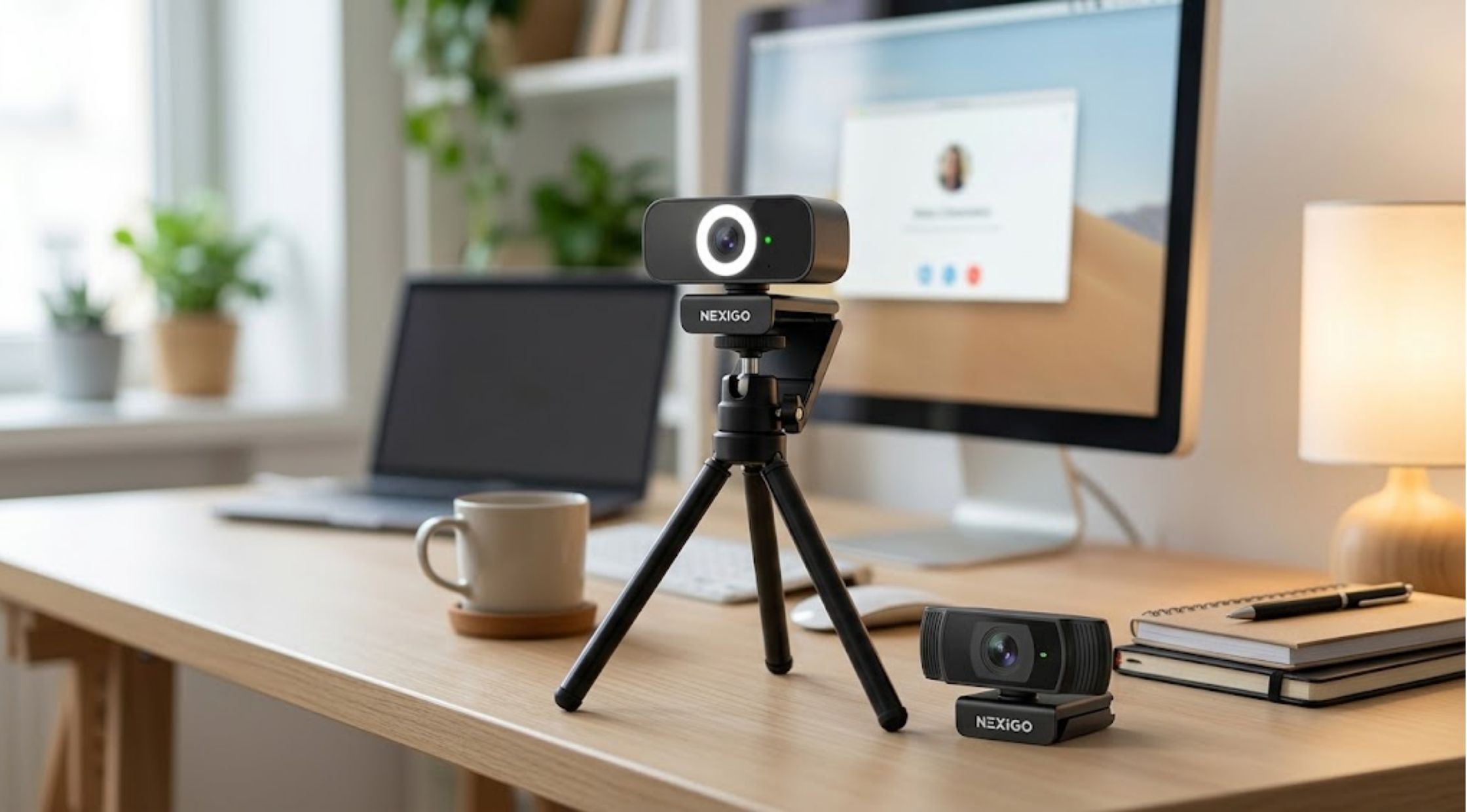
A dependable camera can impact a great deal when you're at home, taking part in online courses, broadcasting content, or staying in touch with family and friends. The quality of video, audio, setup and usability all play a key role in having a better video production. NexiGo has a variety of cameras and webcams for various day-to-day and professional demands.
When comparing various options, knowing what to look out for in a NexiGo camera, NexiGo webcam, or a more advanced setup like the NexiGo TriVision Ultra, can help you choose an appropriate configuration.
How to Choose a NexiGo Camera
The first thing you have to do is decide how you'll use your camera. For video meetings, just a basic webcam might be sufficient, but those who create content or stream might require more advanced capabilities to frame and position their footage.
Key Factors to Consider When Purchasing
- Resolution: If combined with your computer and software, higher resolution can generate a sharper image.
- Field of view: If you have to make a presentation, call a group, or want to have a wider view, a wider field of view might be helpful.
- Autofocus: The auto-focus feature comes in handy if you're often changing your distance from the camera.
- Microphone: Microphone(s) built into the device can eliminate the need to set up an external microphone for video calls.
- Mounting: Make sure that the camera is compatible with your monitor, laptop, or tripod.
You don't want to be paying for any features you might never use!
How to Choose a Good NexiGo Webcam
A NexiGo webcam ought to be simple to set up and simple to use, and it ought to deliver a dependable video. When it comes to office meetings, online teaching, interviews, and video calls, consistent image quality is more crucial than a host of advanced features.
Consider your lighting, too. Even a good webcam will have a lesser image quality in a dark or poorly lit room. The ideal placement of the camera, towards a light source and a well-ordered background, can quickly enhance the quality of your recording.
Another factor to consider is compatibility. When buying a webcam, be sure to confirm the operating system compatibility and video conferencing or video streaming applications of your choice.
How to Use the NexiGo TriVision Ultra
For those who want more features on their camera setup, the NexiGo TriVision Ultra may be of interest. When you need more flexibility in framing and video calls, advanced cameras can be helpful.
When using an advanced webcam, spend a few minutes setting it up properly. Set the camera at eye level and position its angle in a natural way, with the camera's line of sight directly over the face. If you are using it for presentations or demonstrations, be sure to include all the information you want to have the audience see in the frame.
The equation is not just one of having a great camera – it's about making it look and sound like a natural setup that works every time.
Optimizing Room Conditions and Testing Settings
The conditions of your room can significantly affect your camera. To enhance your video quality without changing your equipment:
- Place a light in front of you, not behind you.
- Clean the camera lens regularly to avoid blurry pictures.
- Don't put the camera somewhere where it can easily be bumped.
It is a good idea to review your camera setup before a meeting or a live broadcast. Check exposure, framing, and the microphone to ensure it's all working properly.
Best Practices for Positioning Your NexiGo Webcam
The webcam may look more professional if positioned correctly. The camera should preferably be at eye level, and not constantly pointed up or down.
When using a webcam for desk use, position it towards the middle of the screen. If the camera you are using has a wider angle of view, be sure to stand back from the lens so the image does not appear too close in the frame.
When streaming, think about the background also. A clean and tidy setting can draw the viewer's focus to you, instead of away from you.
Maintaining Your NexiGo Camera
With proper maintenance, users can ensure that their cameras run smoothly.
Simple Maintenance Routines
- Do not allow dust or fingerprints to get on the lens.
- When not in use, safely store the camera.
- Don't allow it to get damp or cold.
- Regularly inspect cables and connections.
- Ensure relevant software and device drivers are kept current, if appropriate.
These simple steps can help avoid problems like blurry video, connection glitches, or abrupt cuts.
Selecting the Ideal Setup for Your Priorities
Users have their own priorities. A beginner who comes to a meeting every now and then might just need a camera that is no more complicated than a standard NexiGo webcam, but a streamer or frequent video taker might need a more sophisticated setup.
NexiGo offers various camera choices for users of different needs. It is better to compare models by the features that will help you use them as you need, instead of strictly by their specifications.
Take into account your work environment, lighting, software requirements, framing, and frequency of use.
Final Thoughts
There are many benefits to using a great webcam for communicating online. When deciding on a camera to use for video conferences, or as a high-end alternative, the NexiGo TriVision Ultra, it's important to select the features that are right for the situation.
If correctly placed and properly lit, and with compatible software, a NexiGo webcam can be an extremely useful part of your home office, streaming station, or daily communication setup.
Recent Blogs
-

How to Make Your LEGO Builds Stand Out with Better Lighting
-
How to Choose Reliable Electronics and Computer Accessories for Everyday Use
-

How to Choose Quality Kumadoll Products for a Better Shopping Experience
-

How to Choose Laser Hair Growth Devices for Effective Hair Regrowth
-
How to Stay Powered Anywhere: Choosing Reliable Portable Energy and Rugged Devices