How to Choose Coding Robots and Educational Robots That Make STEM Learning Easier

Getting children interested in coding sounds simple until you actually try it.
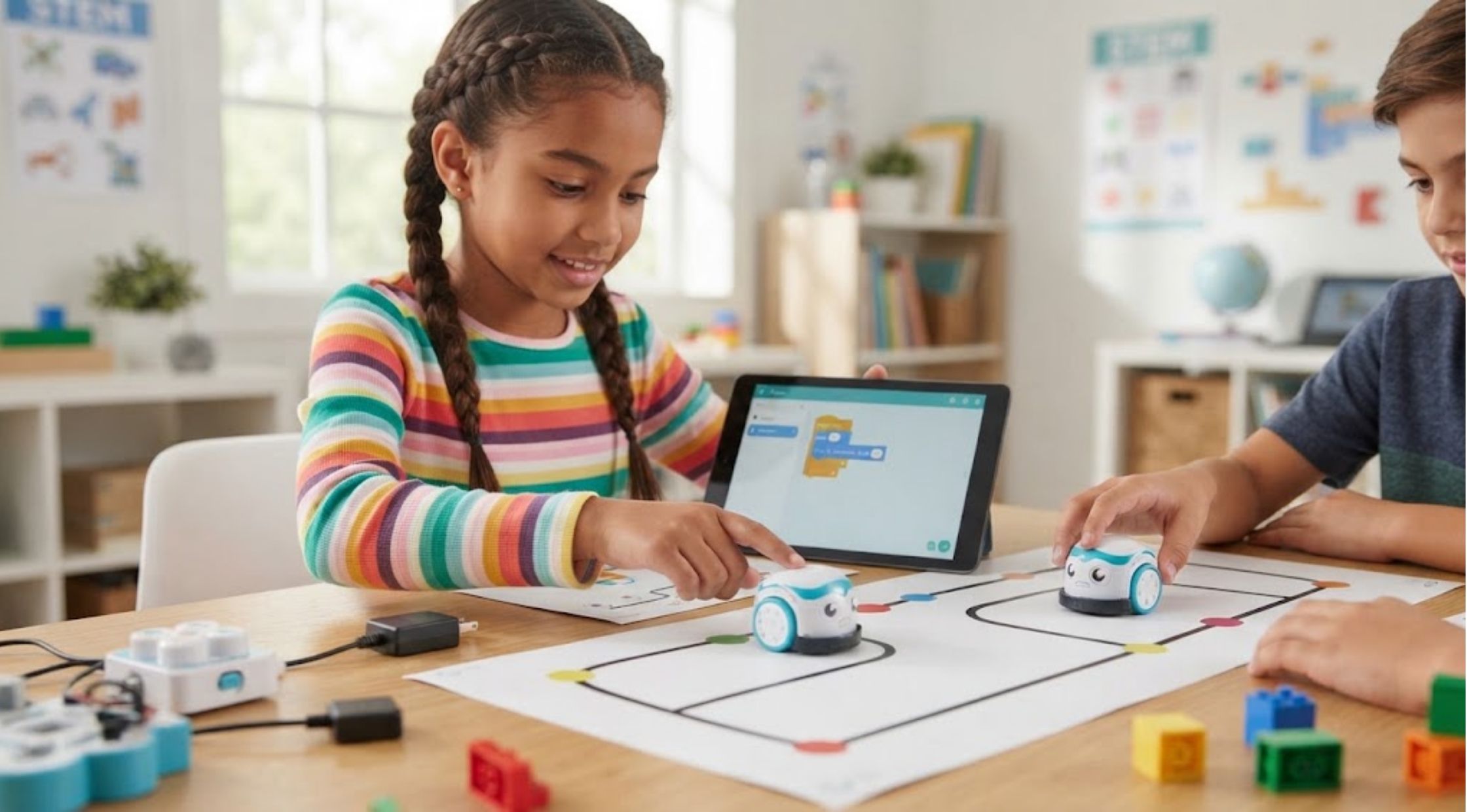
Getting children interested in coding sounds simple until you actually try it. Traditional programming lessons can quickly become confusing, especially when students are expected to understand unfamiliar commands, screens, and technical concepts before they have a reason to care about them.For parents and educators, the bigger challenge is finding a learning tool that makes technology feel approachable rather than intimidating.That is where Coding Robots can make a difference. Instead of learning programming only through a screen, students can write instructions and immediately see a physical robot respond. The right Educational Robots can turn abstract concepts such as sequencing, logic, and problem-solving into something students can see, test, and improve.
Common Problems With Teaching Coding
Coding Can Feel Too Abstract
For beginners, a line of code may not mean much until they understand what it actually does.
When students can watch a robot move, turn, react, or complete a task based on their instructions, the connection becomes much easier to understand. They can immediately see whether their idea worked.
Students Lose Interest Quickly
Coding lessons can become repetitive when the learning experience is mostly reading instructions and typing commands.
Children often learn better when there is an element of experimentation. A robot gives them something tangible to control, creating a natural reason to keep testing different solutions.
The Technology Can Be Too Complicated
Another problem is choosing a robotics kit that is technically impressive but difficult for beginners to use.
If setup takes too long or students need extensive technical knowledge before they can complete their first activity, enthusiasm can disappear before meaningful learning begins.
Why Do These Problems Happen?
The biggest issue is often a mismatch between the learning tool and the learner's experience level. A beginner does not necessarily need the most complicated robot available. They need a clear pathway from simple concepts to more advanced challenges.Good Educational Robots should therefore provide opportunities to start small and gradually increase the difficulty. Students might begin by creating a sequence of movements and eventually progress toward more sophisticated programming, robotics challenges, or STEM projects.The ability to experiment also matters. Coding naturally involves mistakes, testing, and revision. A useful learning environment should make those mistakes part of the process rather than treating them as failures.
How to Choose the Right Coding Robot
Consider the Student's Age and Experience
Start with the learner rather than the technology.
Younger students may benefit from visual, screen-free activities that introduce sequencing and cause-and-effect relationships. Older or more experienced learners may be ready for block-based programming and increasingly complex challenges.
For example, Ozobot's Evo supports both screen-free Color Codes and digital programming through Ozobot Blockly, giving learners different ways to progress as their skills develop.
Look for Hands-On Interaction
The most useful Coding Robots should allow students to see their instructions produce a physical result.
Movement, lights, sounds, sensors, and interactive challenges can help turn programming into an active learning experience. Instead of simply asking whether a piece of code is correct, students can observe what happens and decide what needs to change.
Check the Learning Resources
A robot on its own is not necessarily a complete educational solution.
Look for lesson plans, activities, challenges, and guidance that help parents or teachers turn the product into structured learning. This can be particularly important in classrooms where educators need activities that fit different ability levels.
Make Coding a Problem-Solving Activity
One of the best ways to keep learners engaged is to give them a challenge rather than simply asking them to follow instructions.
For example:
- Can the robot reach a specific destination?
- Can students program it to follow a particular route?
- Can they make it react to different conditions?
- Can they design a solution using a limited number of commands?
- Can they improve their program after it fails?
These activities encourage students to think through problems instead of simply copying code.
They also introduce an important lesson: getting something wrong is often part of getting the right answer.
When Premium Educational Robots Make Sense
If you are looking for a robotics solution that can grow with the learner, it may be worth considering a more complete educational ecosystem rather than a basic programmable toy.
Ozobot offers coding robots such as Evo and Ari alongside classroom kits, lessons, and programming tools. Its current range includes individual entry kits as well as classroom configurations designed for groups of six, 12, or 18 robots.
This type of scalability can be useful for schools, STEM programs, homeschool environments, and families who want learning activities that can become more challenging over time.
Ozobot also provides different programming pathways. Its Blockly platform uses visual blocks across multiple skill levels, while its newer Editor supports Evo, Ari, and ORA robots.
The advantage is not simply having a robot. It is having a pathway that allows learners to move from basic experimentation toward more developed coding and robotics skills.
Benefits of Upgrading to Better Learning Tools
More Engaging STEM Lessons
Physical interaction can make programming feel more like exploration than traditional coursework.
Progressive Learning
A good platform allows students to begin with simple activities and gradually tackle more challenging concepts.
Stronger Problem-Solving Practice
When students program, test, observe, and revise their work, they practice logical thinking in a practical setting.
Easier Classroom Integration
For educators, classroom-ready kits and lesson resources can reduce the preparation required to introduce robotics activities. Ozobot currently offers classroom solutions with curriculum resources and professional development options for educators.
More Opportunities for Creativity
The best robotics activities do not have only one possible answer. Students can experiment with different solutions, create their own challenges, and learn from one another.
Choose a Robot That Can Grow With the Learner
The right robotics product should do more than entertain a child for an afternoon. It should create opportunities to learn, experiment, make mistakes, and try again.
When comparing Coding Robots, focus on ease of use, programming options, age suitability, learning resources, and the ability to progress from simple activities to more advanced challenges.
For parents and educators looking for a structured starting point, Ozobot offers a range of robots and classroom resources designed around hands-on coding and STEM learning.
Ultimately, the goal is not to make every student a programmer overnight. It is to give them an enjoyable environment where technology becomes something they can explore and understand.
The right Educational Robots can make that process more interactive, practical, and rewarding, turning the question of “How does coding work?” into an opportunity to discover the answer through experimentation.
Recent Blogs
-
How to Choose the Right Outdoor Pizza Oven for Better Homemade Pizza
-

How to Choose Luxury Lighting and Chandeliers That Transform Your Home
-

How to Choose the Right Trail Camera for Hunting and Wildlife Monitoring
-

How to Choose Luxury Home Decor and Fine Dinnerware That Elevates Your Home
-

How to Choose Desk Accessories and Everyday Carry Items That Actually Improve Your Day